Post may contain affiliate links and/or editorial content.
Every serious gamer knows that the right setup can mean the difference between victory and defeat. Yet, when you’re scrolling through endless product listings, it’s easy to feel overwhelmed by premium-priced gear promising professional-level performance. Here’s the good news: you don’t need to empty your wallet to transform your gaming experience. The secret lies in understanding which affordable accessories deliver genuine value and how they work together to create an immersive, comfortable gaming environment.
Whether you’re battling enemies in a first-person shooter, coordinating strategies in a MOBA, or exploring vast open-world adventures, the accessories surrounding your desktop play a crucial role in your performance and enjoyment. From responsive peripherals that improve your reaction time to audio equipment that helps you pinpoint enemy footsteps, each component contributes to your competitive edge.
Why the Right Gaming Accessories Matter
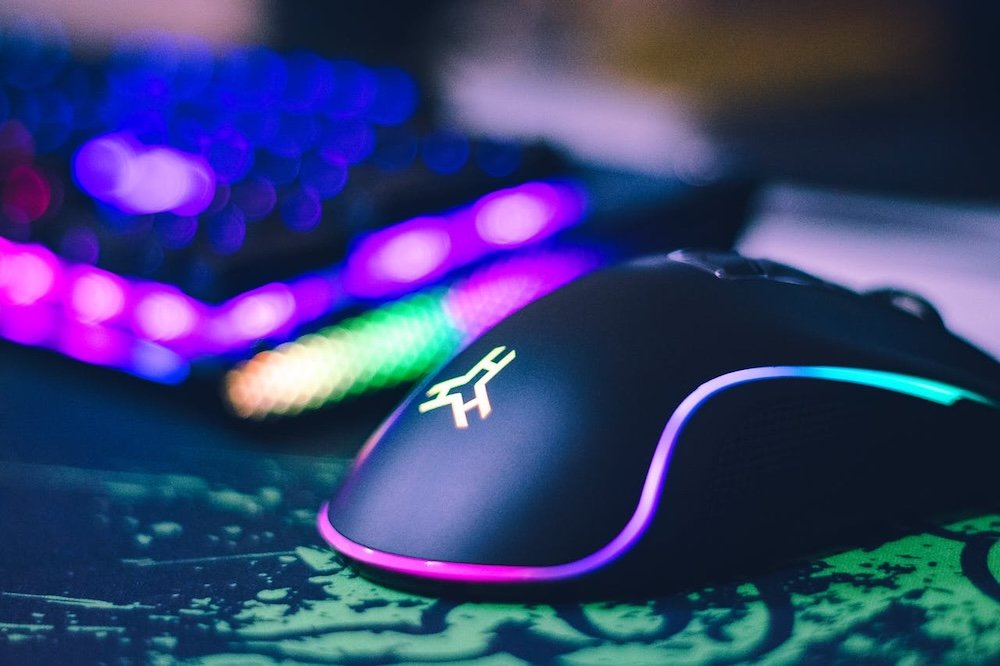
Photo by John Petalcurin on Pexels
Enhancing Performance and Comfort
Think of your gaming setup as an extension of your reflexes and instincts. An ergonomic mouse glides effortlessly across your desk, translating split-second decisions into precise in-game movements. A responsive keyboard registers every keystroke without delay, ensuring your abilities fire exactly when intended. These aren’t luxury features—they’re fundamental tools that directly impact your performance.
During extended gaming sessions, comfort becomes just as critical as performance. Poor posture and repetitive strain can transform an enjoyable evening into an uncomfortable ordeal. Quality accessories address these issues head-on. An ergonomic mouse reduces wrist tension, while a properly positioned keyboard prevents shoulder strain. Even budget-friendly options now incorporate design principles that promote healthier gaming habits.
The cumulative effect of these improvements is remarkable. When you’re not constantly shifting in your seat or shaking out cramped hands, you maintain better focus. Your reaction times stay sharp, and you make fewer mistakes during crucial moments. Comfort isn’t just about feeling good—it’s about sustaining peak performance throughout your gaming session.
Boosting Audio and Visual Experience
Audio represents one of the most underestimated aspects of gaming performance. In competitive online games, hearing an opponent’s footsteps or the direction of gunfire can provide the split-second advantage that determines the outcome. While professional gamers often invest in expensive headsets, even affordable audio solutions dramatically improve situational awareness compared to basic laptop speakers or low-quality earbuds.
Visual clarity works in tandem with audio to create immersive gameplay. A monitor with the right refresh rate ensures smooth motion during fast-paced action, while proper resolution brings game worlds to life with crisp detail. The good news? You don’t need a 4K display with a 240Hz refresh rate to enjoy significant improvements. Strategic choices in the budget range can still deliver noticeable upgrades over standard displays.
Together, enhanced audio and visuals don’t just make games prettier or louder—they provide tangible competitive advantages. You react faster to threats you can hear approaching. You spot enemies more quickly when visual details aren’t blurred or choppy. These improvements translate directly into better performance across virtually every gaming genre.
Essential Desktop Accessories for Gamers
Keyboards and Mice
The keyboard versus mouse debate often starts with mechanical versus membrane keyboards. Mechanical keyboards offer distinct tactile feedback and faster response times, making them popular among serious gamers. Each keypress feels deliberate, and the satisfying click confirms your input registered. However, quality membrane keyboards have improved significantly, offering respectable performance at lower price points. They’re quieter, which matters if you game in shared spaces, and modern versions feature anti-ghosting technology that prevents missed inputs during complex key combinations.
Gaming mice represent one of the most impactful upgrades you can make. Customizable DPI (dots per inch) settings let you adjust cursor sensitivity on the fly—higher DPI for quick turns in shooters, lower DPI for precision aiming. Look for mice with programmable buttons that put frequently used abilities at your fingertips. Even budget options now include these features, though premium materials and sensors remain the domain of pricier models.
Recommended budget options:
- Mechanical keyboards under $50 often use reliable switches and include basic RGB lighting
- Membrane keyboards in the $20-$35 range provide solid performance for casual and intermediate players
- Gaming mice between $25-$40 typically offer adjustable DPI up to 6400, programmable buttons, and comfortable ergonomics
- Wired options generally cost less than wireless while delivering zero input lag
Monitor Choices That Won’t Break the Bank
Monitor selection revolves around three key specifications: size, refresh rate, and resolution. For most gamers, a 24-inch display hits the sweet spot—large enough to immerse you in the action without requiring excessive head movement to track the entire screen. Refresh rate matters more than many realize. A 75Hz or 144Hz monitor provides noticeably smoother motion compared to standard 60Hz displays, especially in fast-paced games where every frame counts.
Resolution represents a tradeoff between visual clarity and performance. A 1080p display remains the budget-friendly standard, offering sharp images without demanding excessive GPU power. Some affordable monitors now include adaptive sync technologies that eliminate screen tearing, previously found only in premium models. When shopping, prioritize refresh rate over ultra-high resolution if you play competitive multiplayer games—smooth motion matters more than pixel density in this context.
The market now offers compelling options in the $120-$180 range that balance these features effectively. Look for IPS panels for better color accuracy and viewing angles, or consider VA panels if you prefer deeper blacks and higher contrast ratios. Even at budget prices, modern monitors deliver impressive improvements over older displays.
Audio Accessories to Amplify Your Gaming
Photo by Ron Lach on Pexels
Gaming Speakers
Desktop speakers might seem redundant in the age of headsets, but they serve an important purpose. Not every gaming session demands complete immersion—sometimes you want to hear your game while remaining aware of your surroundings. Quality speakers deliver room-filling sound that creates atmosphere without the isolation and potential discomfort of wearing headsets for hours.
Budget gaming desktop speakers have evolved significantly, offering clear dialogue, decent bass response, and surprising soundstage for their price point. Look for speakers with at least 10 watts of power output and a frequency response that extends into lower ranges for fuller sound. Many affordable options now include convenient features like Bluetooth connectivity, allowing you to switch seamlessly between gaming, music, and other audio needs.
The versatility of speakers extends beyond gaming. They enhance movie watching, music listening, and video calls—making them a practical investment that improves your overall desktop experience. When you want immersive, focused gameplay, reach for your headset. For casual sessions or when you need to remain aware of your environment, quality desktop speakers provide the perfect balance.
Headsets and Microphones
For competitive gaming, a quality headset becomes essential. Surround sound features—whether virtual 7.1 or stereo with good positioning—help you pinpoint audio cues with remarkable accuracy. Budget headsets now incorporate these technologies at accessible price points, though the implementation quality varies. Focus on reviews that specifically test directional audio performance rather than getting distracted by fancy marketing terms.
The microphone deserves equal attention. Clear communication makes or breaks team-based games. Your teammates can’t execute strategies if they can’t understand your callouts. Look for headsets with noise-canceling microphones that filter out background sounds, ensuring your voice comes through cleanly even in less-than-ideal environments. Some budget headsets now include flip-to-mute features and volume controls directly on the cable for convenient adjustments.
Many affordable headsets in the $40-$70 range deliver excellent performance. Comfort becomes paramount during long sessions, so prioritize models with adequate padding and adjustable headbands. Memory foam ear cushions might seem like a small detail, but they dramatically improve comfort during extended use.
Comfort and Ergonomics: Small Changes, Big Impact
Gaming comfort extends well beyond your chair. A quality desk mat provides a smooth surface for mouse movements while cushioning your wrists. These oversized pads often feature stitched edges that prevent fraying, lasting years even with daily use. Dedicated wrist rests for keyboards reduce strain by maintaining proper wrist alignment, preventing the fatigue and discomfort that creep in during marathon sessions.
Adjustable chairs represent one of the most significant comfort investments you can make. While true gaming chairs command premium prices, many office chairs in the budget range offer adjustable height, lumbar support, and reclining features. Proper posture isn’t just about comfort—it improves circulation, reduces long-term health risks, and helps you maintain focus during critical gaming moments.
Affordable comfort options under $50:
- Large desk mats (36″ x 18″) provide ample space for keyboard and mouse movements
- Gel or foam wrist rests distribute pressure evenly and reduce strain
- Cable clips and organizers eliminate desk clutter that interferes with mouse movement
- Monitor stands or adjustable arms position screens at the optimal eye level
- Ergonomic footrests improve posture and circulation during long sessions
Storage and Organization Accessories
A cluttered desk creates more than just visual chaos—it actively hinders your gaming performance. Tangled cables catch on your mouse during crucial moments. Controllers and accessories scattered across your desk mean fumbling to find what you need. The solution doesn’t require expensive furniture or elaborate setups. Simple, affordable organization accessories transform chaotic spaces into efficient gaming command centers.
Cable management represents the foundation of an organized setup. Adhesive cable clips guide wires along desk edges, keeping them out of your mouse’s path. Cable sleeves bundle multiple wires together, reducing visual clutter while making it easier to identify and trace specific connections. Under-desk cable trays or baskets keep power strips and excess cable length completely out of sight.
Desktop organizers serve multiple purposes. Headset stands keep your audio gear safe and accessible while preventing crushed ear cushions that shorten their lifespan. Controller charging docks ensure your wireless peripherals stay ready for action. Small drawer units corral miscellaneous accessories—batteries, cleaning supplies, adapter cables—so you can find them instantly when needed.
The psychological benefits of an organized space shouldn’t be underestimated. A clean, well-arranged gaming area reduces distraction and creates a more professional atmosphere. You feel more focused and prepared when everything has its place. These organizational accessories typically cost less than $30 total, making them one of the most cost-effective upgrades you can implement.
Lighting and Ambiance Accessories
Strategic lighting transforms your gaming space from functional to immersive. RGB lighting strips attached to the back of your monitor or along desk edges create an ambient glow that reduces eye strain by minimizing the contrast between your bright screen and dark surroundings. This isn’t just aesthetic—proper lighting genuinely reduces fatigue during extended gaming sessions.
Bias lighting, the technical term for backlighting your monitor, improves perceived contrast and color accuracy while reducing eye strain. The effect is subtle but noticeable, especially during long sessions in darker environments. Many affordable LED strips now include remote controls or smartphone apps, letting you adjust colors and brightness to match your game’s mood or your personal preferences.
Task lighting complements ambient effects by providing focused illumination for your keyboard or desk area. Simple USB-powered desk lamps offer convenient control without requiring additional outlets. Some gamers prefer warmer color temperatures for relaxed gaming, while others favor cooler, brighter light during competitive sessions. The flexibility to adjust lighting based on your needs and mood enhances both comfort and immersion.
Affordable lighting solutions range from $15 for basic LED strips to $40 for feature-rich options with multiple colors and effects. The improvement to your gaming atmosphere far exceeds their modest cost, making them excellent value propositions for gamers working within budget constraints.
How to Choose the Right Gaming Accessories on a Budget
Photo by RDNE Stock project on Pexels
Prioritize Performance Over Brand
Brand recognition often carries a premium price tag that doesn’t always reflect proportional performance gains. While established gaming brands invest heavily in marketing and packaging, lesser-known manufacturers frequently produce accessories with comparable specifications at significantly lower prices. Focus on objective specifications—DPI ranges, response times, build materials—rather than logo prestige.
Reading detailed specifications helps you identify genuine value. A keyboard’s switch type matters more than the brand name printed on it. A mouse’s sensor quality determines accuracy more reliably than its RGB lighting effects. By understanding which technical features actually impact performance, you can confidently select accessories that deliver results regardless of their brand pedigree.
This approach doesn’t mean avoiding established brands entirely. It means evaluating products based on their merits rather than assuming expensive equals better. Sometimes budget brands surprise with exceptional performance, while premium products occasionally disappoint despite their reputation.
Read Reviews and Check Compatibility
User reviews provide invaluable real-world insights that specifications alone can’t convey. Pay attention to reviews from gamers who play similar genres—what works excellently for strategy games might not suit fast-paced shooters. Look for patterns in feedback rather than fixating on individual opinions. If multiple reviewers mention durability issues or comfort problems, take those concerns seriously.
Compatibility verification prevents expensive mistakes. Ensure accessories work with your operating system, especially if you use Linux or older versions of Windows. Check that your desktop has the necessary ports—some budget systems lack multiple USB connections or specific audio jacks. Wireless accessories require confirming that your system supports the required Bluetooth version or includes the necessary receiver.
Game-specific compatibility matters too. Some keyboards offer superior performance in MMORPGs through programmable macros, while others excel in shooters through anti-ghosting technology. Matching accessories to your gaming preferences ensures you invest in features you’ll actually use rather than paying for capabilities that sit idle.
Consider Long-Term Value
The cheapest option isn’t always the most economical. An accessory that fails after six months costs more in frustration and replacement expenses than a slightly pricier alternative that lasts years. Build quality indicators include reinforced cables, metal construction instead of pure plastic, and warranties that reflect manufacturer’s confidence in their product’s longevity.
Reviews again prove valuable here—long-term user experiences reveal durability issues that don’t appear in short-term testing. Accessories with replaceable components, like mice with swappable cables or headsets with removable cushions, offer extended lifespans through simple, inexpensive repairs rather than complete replacements.
Calculate the cost-per-use rather than just the upfront price. A $40 keyboard that serves you reliably for three years costs less than a $20 keyboard replaced twice in the same period. This perspective helps justify slightly higher investments in accessories you’ll use daily, ensuring your gaming setup remains functional and enjoyable for years to come.
Conclusion
Building an excellent gaming setup doesn’t require unlimited funds—it requires informed decisions and strategic investments. The affordable accessories explored throughout this article prove that budget-conscious gamers can achieve immersive, competitive experiences without financial strain. From responsive peripherals that sharpen your reflexes to ergonomic solutions that maintain comfort during marathon sessions, each carefully chosen component contributes to your overall gaming satisfaction.
Remember that upgrading your desktop setup with thoughtful additions like quality speakers, precise input devices, and proper lighting creates measurable improvements in both performance and enjoyment. The key lies in prioritizing accessories that address your specific needs rather than chasing trends or brand names. Start with essentials—a comfortable mouse, a responsive keyboard, and a decent audio solution—then expand your setup gradually as your budget allows.
She Owns It partners with others through contributor posts, affiliate links, and sponsored content. We are compensated for sponsored content. The views and opinions expressed reflect those of our guest contributor or sponsor. We have evaluated the links and content to the best of our ability at this time to make sure they meet our guidelines. As links and information evolve, we ask that readers do their due diligence, research, and consult with professionals as needed. If you have questions or concerns about any content published on our site, please let us know. We strive only to publish ethical content that supports our community. Thank you for supporting the brands that support this blog.